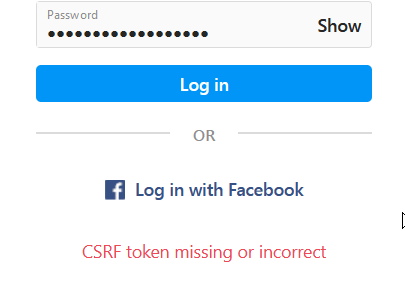
CSRF (Cross-Site Request Forgery) is a type of attack where an attacker tricks a user into performing actions on a website without their knowledge or consent. To prevent this type of attack, websites often use CSRF tokens.
In the case of Instagram, if you see an error message that says “CSRF token missing or incorrect,” it means that Instagram has detected a problem with the CSRF token associated with your session. This could be due to a number of factors, such as an expired session, a problem with your browser’s cache or cookies, or a security issue with your account.
To solve the “CSRF Token Missing or Incorrect” error on Instagram, you can try the following steps:
- Refresh the page: Sometimes, this error can occur due to a temporary glitch. Try refreshing the page and see if the error goes away.
- Clear browser cache and cookies: Clearing your browser’s cache and cookies can help resolve the issue. Go to your browser settings and clear the cache and cookies. Then, try logging into Instagram again.
- Disable browser extensions: Some browser extensions can interfere with Instagram’s CSRF tokens. Try disabling all browser extensions and see if the issue is resolved.
- Use a different browser: If you are still experiencing the issue, try using a different browser to access Instagram. This can help identify if the issue is specific to your current browser.
- Check for app updates: If you are using the Instagram app, make sure it is updated to the latest version. Outdated apps can sometimes cause issues with CSRF tokens.
- Contact Instagram support: If none of the above steps work, you can contact Instagram’s support team for further assistance. They may be able to help you troubleshoot the issue and resolve it.


 FollowingLike